

Your next practice session starts here

Play saxophone. Get instant feedback. Improve every session.

Practice songs, scales and ear training with animated fingerings while SaxoTools listens.

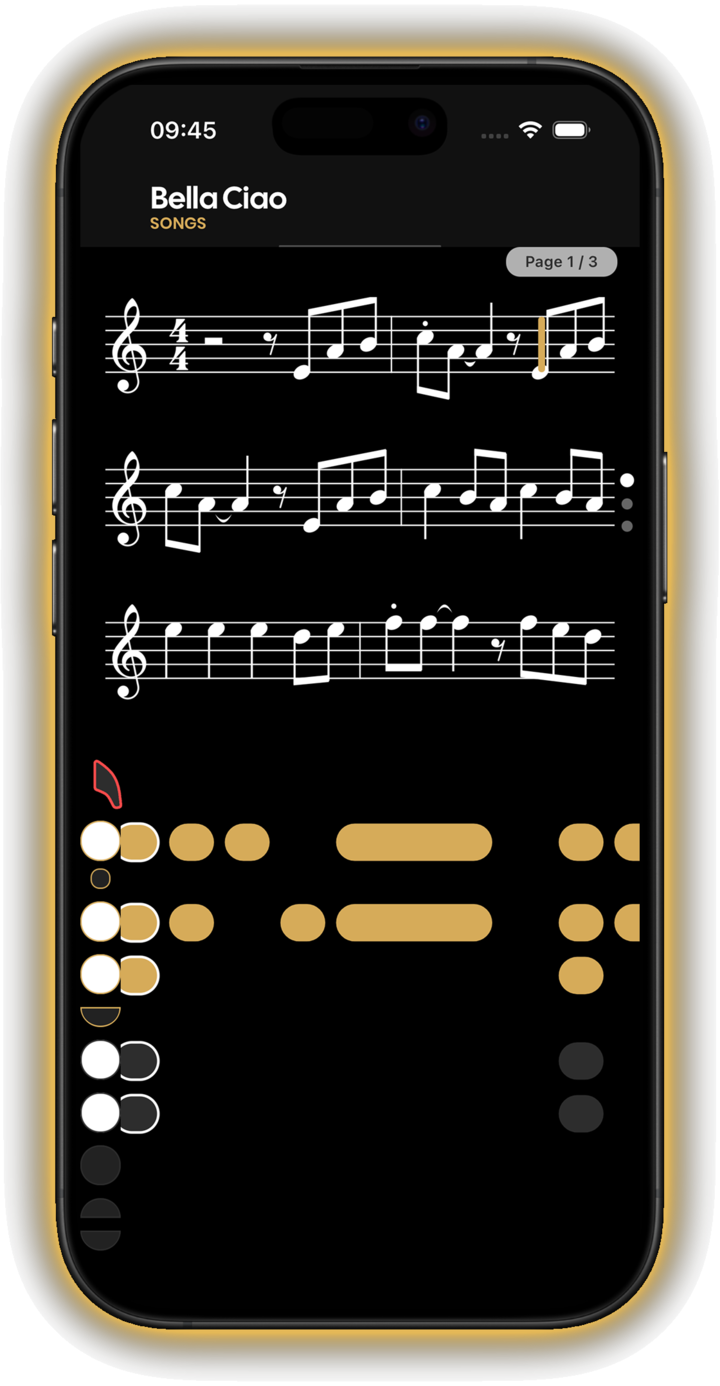
SaxoTools evaluation screen for the song Bella Ciao
Real-time listening Choose training or evaluation mode for a session built around how you want to practise.

Practise with purpose

Everything you need between lessons.

Turn each session into a clear loop: choose what to work on, play with interactive guidance, then use the result to decide what comes next.

Interactive sheet music with animated alto saxophone fingerings
Song practice screen in SaxoTools
01 — Songs

Play songs with the score and the fingering in front of you.

Interactive sheet music keeps the notes visible while animated saxophone keys show the fingering. Work through a song at your pace instead of guessing what comes next.

  • Interactive sheet music
  • Animated fingerings
  • Training and evaluation modes
Scale family exercises in SaxoTools
02 — Exercises

Build the fundamentals that make everything else easier.

Practise major, minor and pentatonic scale families with guided patterns, then sharpen your ear and reinforce the core skills behind confident playing.

  • Scale families and progressions
  • Ear training
  • Guided fundamentals
Choose an evaluated song session in SaxoTools
03 — Feedback

Finish with feedback, not a vague feeling.

Choose an evaluated session, let SaxoTools listen while you play, then review your performance and progress so the next practice session has a clear focus.

  • Performance evaluation
  • Session review
  • Progress over time
Download SaxoTools

How it works

From choosing a goal to knowing what improved.

01

Choose a session

Pick a song, a scale family, an ear-training exercise or the fundamental you want to strengthen.

02

Play with guidance

Follow the score, animated fingerings and interactive tools while SaxoTools listens to your playing.

03

Review the result

Use the evaluation and your progress to understand what worked and what to practise next.

Made for saxophone

For your level. For your saxophone.

Start with visual guidance if you are new, or use focused exercises and evaluations to sharpen an established routine. SaxoTools supports the four most common saxophone types.

  • Soprano
  • Alto
  • Tenor
  • Baritone
App Store review Paraphrased from a public review
“Exactly the kind of app this saxophonist was looking for: it listens to the playing and gives useful feedback.”
Read reviews on the App Store

Frequently asked questions

Before your first session.

Which saxophones are supported?

SaxoTools supports soprano, alto, tenor and baritone saxophones, so the exercises and fingering guidance can match your instrument.

Can I use it if I cannot read music yet?

Yes. Animated fingerings and visual note guidance help you connect the score to the keys. You can build reading confidence gradually while still playing.

Why does SaxoTools need microphone access?

The microphone is used when an exercise needs to listen to your playing for analysis and feedback. Permission is requested before use. See the Privacy Policy for details about recordings, storage and your data rights.

Is SaxoTools available on iOS and Android?

Yes. SaxoTools is available for iPhone and iPad through the App Store and for Android devices through Google Play.

Make the next session count

Play. Get feedback. Improve.

Download SaxoTools and turn your next saxophone session into measurable progress.