Prepare at your pace
Slow the music down, repeat difficult passages and choose the audio layers that help you hear the part clearly.
Interactive song practice
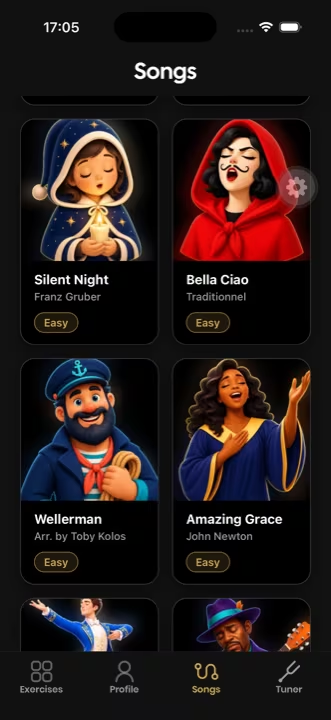
Turn a piece into a focused session: prepare it at your tempo, keep the next notes visible and review the result when you are ready.


More than pressing play
SaxoTools keeps the score, guidance and listening tools together so you can spend less time setting up and more time playing.
Slow the music down, repeat difficult passages and choose the audio layers that help you hear the part clearly.
Follow interactive sheet music and display fixed or animated fingerings when the content supports them.
Switch to evaluation when you want to play through, inspect the result and decide what deserves another pass.
How it works
Open a piece that matches your level and select training or evaluation.
Adjust tempo, loop sections and use visual fingering guidance where available.
Complete the session, inspect your performance and return with a clear priority.
Songs
The goal is not to promise the biggest catalogue. It is to make the songs inside SaxoTools genuinely useful for practice.
Built for saxophone practice
Beginners can keep a visual connection between notes and keys. More experienced players can isolate passages, remove guidance and evaluate a complete take.
“Exactly the kind of app this saxophonist was looking for: it listens to the playing and gives useful feedback.”Read reviews on the App Store
Frequently asked questions
Training mode is designed for controlled practice, including slower work and repeated passages when those controls are available for the selected song.
Fingerings can be hidden, fixed or animated on compatible content. SaxoTools indicates when animated guidance is unavailable.
Training is for experimenting, slowing down and repeating. Evaluation is for completing a take and reviewing the result.
SaxoTools supports soprano, alto, tenor and baritone saxophones.
Keep practising
Your next session starts here
Use SaxoTools to turn songs, exercises and evaluations into a focused saxophone routine.