Select a supported pitch
Choose one of the written notes currently available in the animated map between C4 and C6.
Interactive fingering preview
Choose a written pitch supported by the app, then play a short phrase to watch the key changes move exactly as they do beside the score.
Try the animated fingering timeline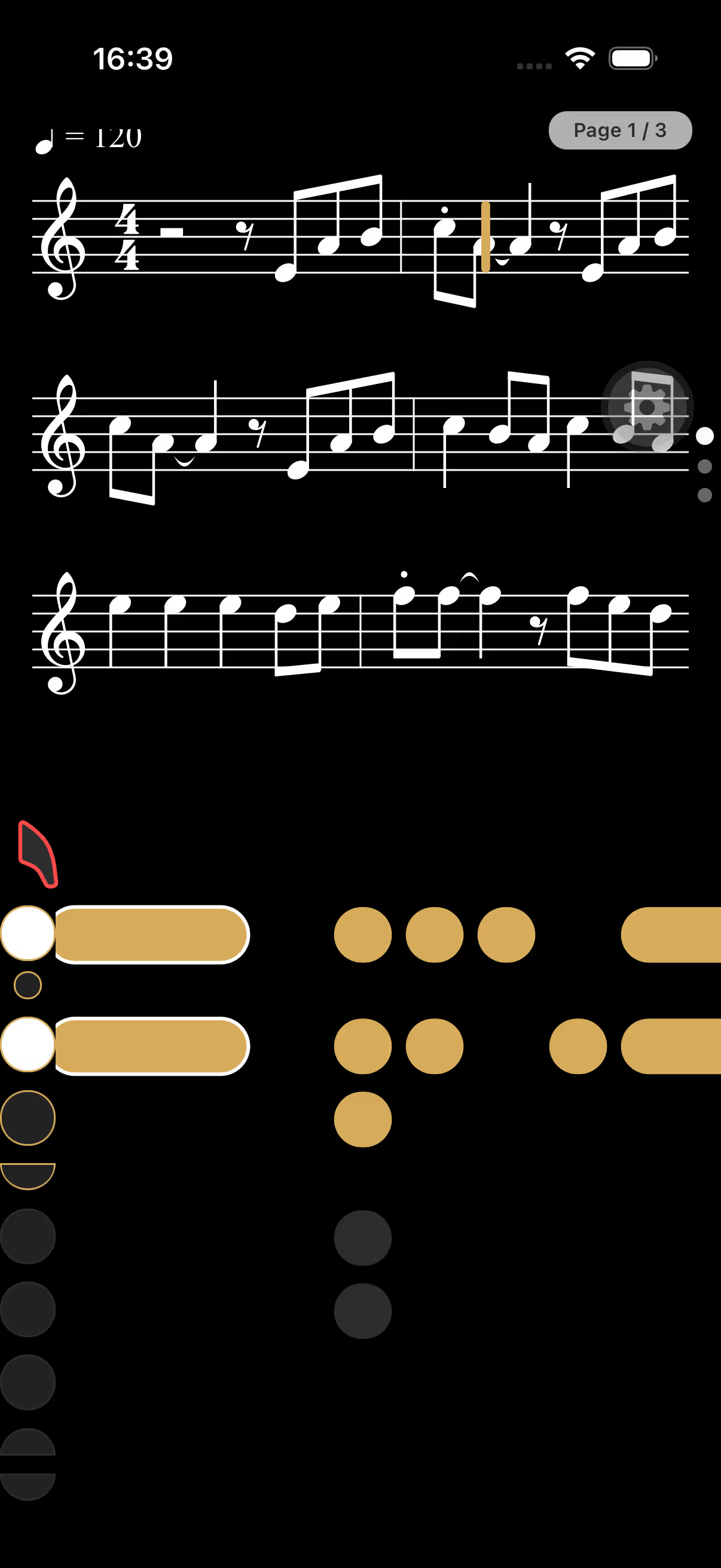
Interactive fingering preview
Choose a supported written note. The live demo builds a short phrase around it and shows every key change at the cursor.
Preparing the animated fingering preview…
At the cursor
G4Keys at the cursor:
Note, octave, keys
Choose a supported note, inspect the keys at the cursor and replay the short phrase. The animation and fingering data come directly from the current app implementation.
Choose one of the written notes currently available in the animated map between C4 and C6.
Play the phrase and see the bars reach the cursor while the active keys light up.
Use the preview to understand the movement, then practise it inside a real passage.
How it works
Use the selector to match the written pitch on your staff.
Check the octave key and numbered or side keys shown in the reference.
Return to a scale, exercise or song and connect the movement to sound.
Animated fingering chart
Soprano, alto, tenor and baritone saxophones use the same fundamental fingering logic. Written range, alternate fingerings and instrument setup can still affect the best choice.
Built for saxophone practice
Use the chart as a beginner reference, a quick memory check or a bridge into the animated fingering panel inside SaxoTools.
“Exactly the kind of app this saxophonist was looking for: it listens to the playing and gives useful feedback.”Read reviews on the App Store
Frequently asked questions
The selector shows written saxophone notes. The sounding concert pitch depends on whether you play a B♭ or E♭ saxophone.
The animation is limited to the supported pitches currently present in the app’s prepared fingering map between C4 and C6. Unsupported pitches are not shown in the selector.
Yes. The fundamental key system is shared, while the transposition and sounding pitch differ.
A diagram explains the movement. Your ears, air and embouchure still determine whether the note speaks clearly and in tune.
Keep practising
Your next session starts here
Use SaxoTools to turn songs, exercises and evaluations into a focused saxophone routine.